

Access Transaction Export
Step 1: Navigation
Log in to your PassPass dashboard
Go to the "Finances" tab in the main menu
Locate the transactions section with your listed payouts
Step 2: Initiate Export
Click on "Export Transactions"
A settings window opens automatically
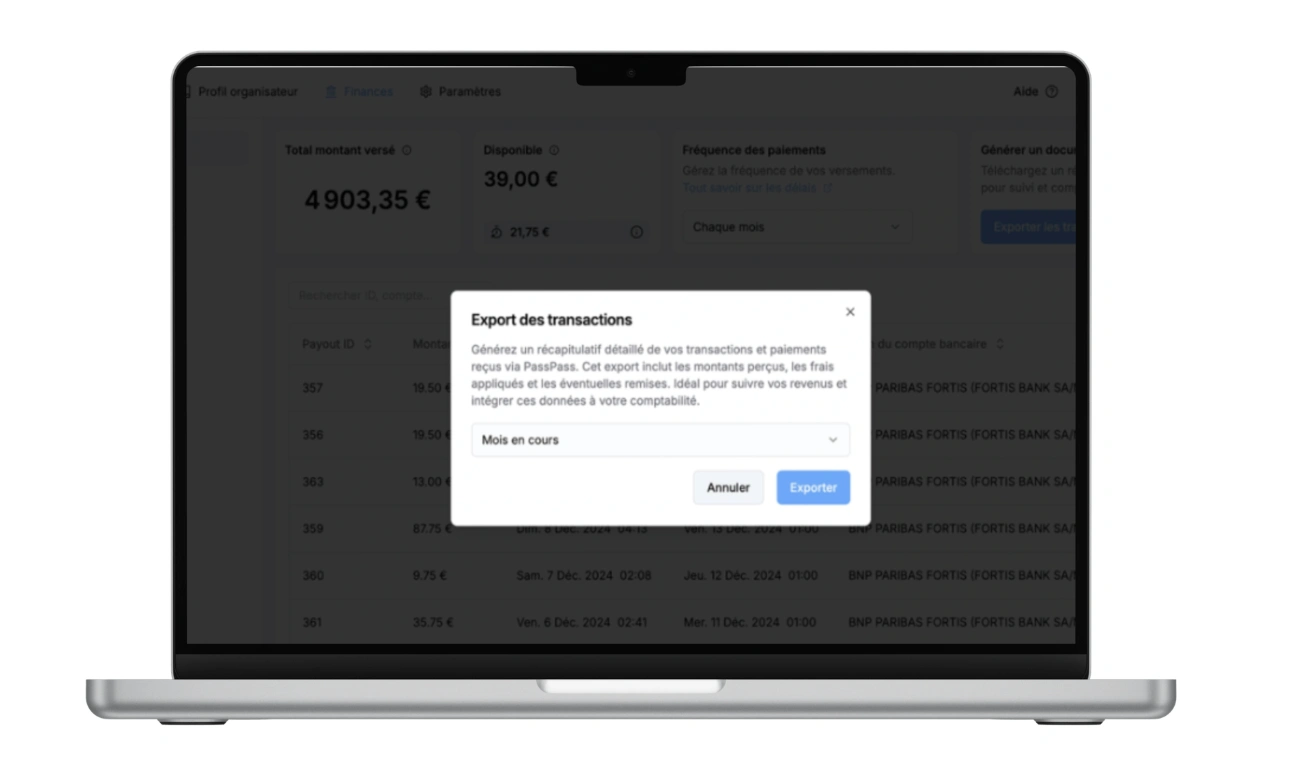
Select Your Period
PassPass offers several options to customize your export according to your accounting needs:
Predefined Periods
Current Month : All transactions for the current month
Current Quarter : Transactions from the last 3 complete months
Current Year : All transactions since January
Since the Beginning : Complete account history
Custom Period
Select specific dates according to your needs
Ideal for quarterly reports or specific accounting periods
Intuitive calendar interface for precise selection
Excel Report Content
The generated document is organized into three distinct sheets for comprehensive financial analysis:
"Information" Sheet (Export Summary)
Export Type : Financial export
Selected Period : Start and end dates of the export
Organization : Name of your PassPass organization
Statistics : Total number of payouts and payments for the period
"Payouts" Sheet (Transfers to Your Account)
ID : Unique identifier for each payout
Amount : Amount credited to your bank account (in euros)
Account : Destination bank account
Initiation Date : When PassPass initiated the payout
Arrival Date (Estimate) : When the funds arrived in your account
"Payments" Sheet (Details of Individual Transactions)
ID : Unique number for each payment
First Name/Last Name : Buyer's identity
Email : Participant's email address
Net Amount : Amount you receive after fees
Gross Amount : Price paid by the participant
Fees : PassPass commission deducted
Payment Date : Transaction timestamp